Walking Backwards Through a Search Oracle
August 28, 2026
Introduction
This post walks through the discovery and exploitation of a blind search oracle in a cloud-based platform used for design collaboration. The platform lets organizations manage items, workflows, etc..., all through a web interface with granular role-based permissions.
The setup involved two accounts: an administrator account used to configure permissions, and a second account whose privileges were deliberately stripped. From the admin panel, access to the Notes tab was removed, and visibility of certain metadata fields, including creator email addresses, was disabled. The second account could browse items and use the search bar, but the restricted fields were nowhere to be found in the UI or The API.
The search bar, however, had other ideas.
First Looks at the Search
The platform features a global search bar at the top of every page. It performs a full-text search across items, returning results as you type. Behind the scenes, each keystroke fires a request like this:
2 linesGET /api/search?limit=50&offset=0&page=1 HTTP/2
&query=t&revision=1The query parameter uses a Lucene-style syntax. Searching for t returns all items containing the letter "t" in any indexed field , descriptor, owner name, workspace name, and, as it turns out, even restricted fields, although it does not show them in the search page UI.
The first thing that caught my attention was the ability to scope queries to a specific item using filters:
1 linesquery=wearehacx+AND+((workspaceId=1+AND+ITEM_DETAILS:ITEM_ID=23))This is a compound query: find documents where the default search field contains kymu, and the item belongs to workspace 1 with ITEM_ID=23. If any indexed field of that specific item contains the substring, the item appears in the results. If not, it doesn't.
This scoping immediately raised a question: what happens if I search for a substring of an email on an item whose creator's email I cannot access?
A Blind Oracle
The answer was a clean binary signal:
HTTP 200 → item appears in results → substring EXISTS

HTTP 204 → empty response → substring DOES NOT EXIST

A perfect blind oracle. No rate limiting, no noise, no ambiguity.
To validate my theory, i tried to search for another field i had no access to, the Notes
| Query (scoped to 23) | Response | Why |
|---|---|---|
S | 200 | 'S' in "Secret..." |
Se | 200 | 'Se' in "Secret..." |
Secret | 200 | 'Secret' in Notes Section |
Secretv | 204 | Not a substring of any indexed field |
The search engine was indexing Notes, Attachment Names, and other metadata , fields I had no UI access to , and leaking their presence through the search API. From here, extracting full values was a matter of patience and a good algorithm.
The Starting Character Problem
A naive attacker might try to brute-force the value from left to right: test a, then ab, then abc, and so on. This fails spectacularly for one simple reason: the search matches substrings, not prefixes.
If the note is test, searching for e returns 200 , because e appears at position 1. Searching for s also returns 200. Searching for te returns 200. Searching for es also returns 200.
There is no way to distinguish position 0 from position N by testing individual characters. You can't just guess the first letter because every letter that appears anywhere in the value passes the test equally.
This is the core challenge of any blind substring oracle: how do you find the start when you can't ask "does it begin with X?"
The Greedy Bidirectional Extension , Let the Boundary Find Itself
The insight is simple: you don't need to guess the start. You just need to walk until you can't walk anymore.
Pick any arbitrary character that exists in the value. Now, extend it leftward , prepend one character and test. If it matches, keep going. If not, try the next character. When no character in the alphabet can be prepended without breaking the match, you've found the left boundary.
Then do the same rightward , append characters until no extension works. You've found the right boundary.
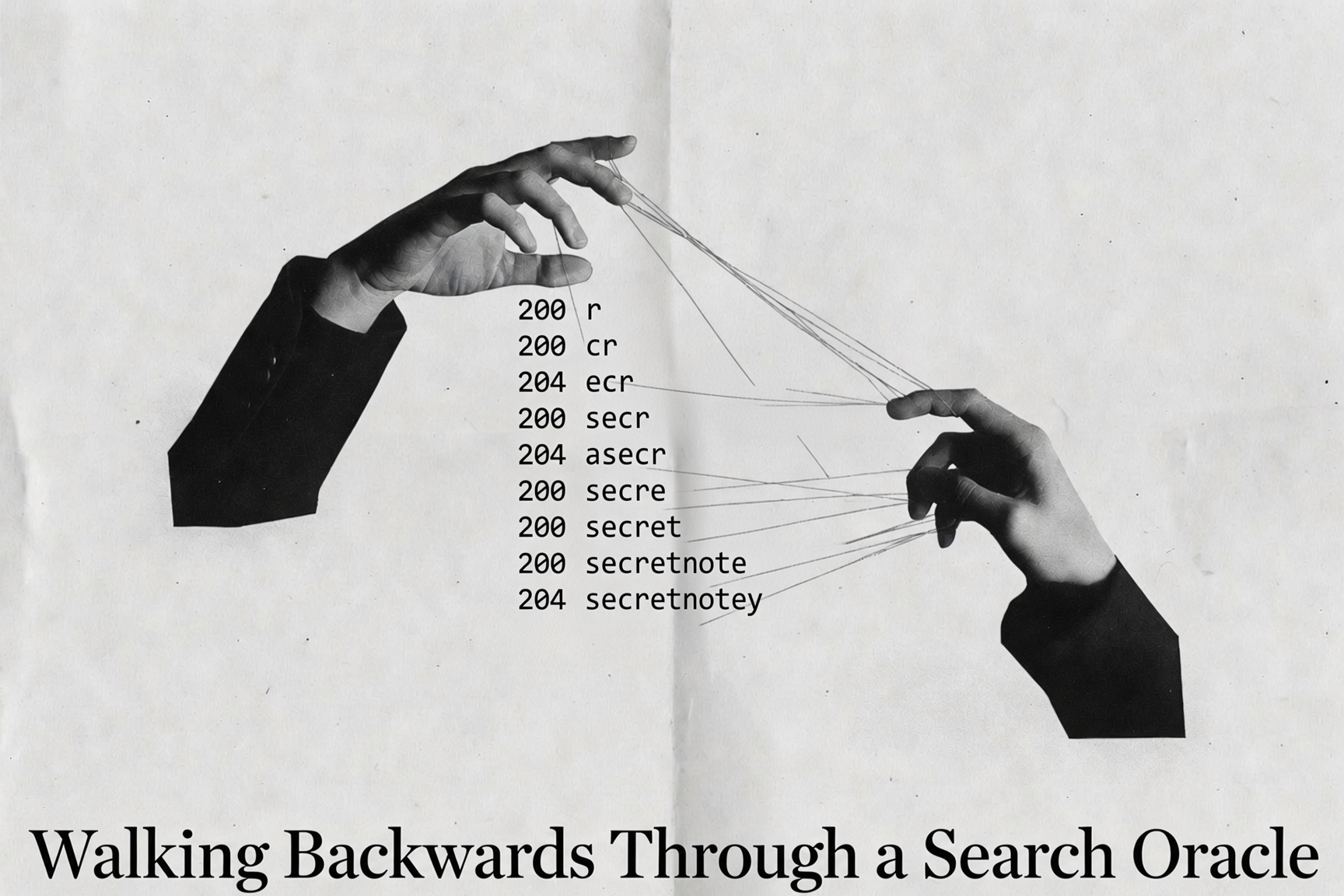
Here's the algorithm in practice, starting from the arbitrary character r against item 23:
21 linesSeed: "r" (chosen arbitrarily , any matching char works)
LEFT extension (prepend until dead-end):
"r" → 200 → seed = "r"
"cr" → 200 → seed = "cr"
"acr" → 204 → skip
"secr" → 200 → seed = "secr"
"asecr" → 204, "bsecr" → 204, ... all 204
→ LEFT BOUNDARY: "secr"
RIGHT extension (append until dead-end):
"secre" → 200 → seed = "secre"
"secret" → 200 → seed = "secret"
"secretn" → 200 → seed = "secretn"
"secretno" → 200 → seed = "secretno"
"secretnot" → 200 → seed = "secrernot"
"secretnote" → 200 → seed = "secretnote"
"secretnotey" → 204, "secretnotew" → 204, ... all 204
→ RIGHT BOUNDARY: "secretnote"
Complete: "secretnote"The start finds itself. You walk backwards from the middle until the path ends, and whatever you're standing on is the beginning. The same principle works for any value , email addresses, filenames, metadata fields.
Extracting The Email as an example:
Armed with the bidirectional extension algorithm, extracting an email address is fairly straightforward , until it isn't.
Step 1 , Confirm `@` exists. If the item has no email in its indexed fields, there's nothing to extract.
Step 2 , Build the domain (right of `@`). Extend right from @ one character at a time until the domain base is found:
1 lines@ → @w → @we → @wea → ... → @wearehackeroneStep 3 , Build the username (left of `@`). Extend left from the domain until the full local part is found:
2 lineskymu_@wearehackerone.com ← ymu_@wearehackerone.com ← mu_@wearehackerone.com
← ... ← _@wearehackerone.com ← @wearehackerone.comThis worked beautifully for our first few test items , kymu_@wearehackerone.com came out clean from the second account testing.
Automating The Process
Using DeepSeek i vibecoded a script that will do the job

Side Note
The bidirectional extension technique presented here is generalizable. Given any blind substring oracle, whether it's a search API, a database LIKE query leaking through error messages, or a timing side-channel, the algorithm reconstructs the full value without ever needing to guess the first character.
Thank you for reading.
AlhamduliLlah
Published in August 2026